

How to Create a Master Action Plan Template in Under 5 Minutes (Without the Overwhelm)
El contenido detallado está disponible actualmente en inglés.
Most action plans are just expensive ways to procrastinate.
You spend three hours color-coding a spreadsheet, choosing the perfect font, and nesting sub-tasks inside sub-tasks. By the time you’re finished, you’re too exhausted to actually do the work.
Sound familiar?
We’ve all been there. We mistake the act of planning for the act of making progress. But here’s the cold, hard truth: a plan is just a hypothesis. It’s a guess. And if you spend more time guessing than doing, you’ve already lost.
You don't need a complex system. You need a master action plan template that works as hard as you do. And you need it done in five minutes, not five hours.
At Goalbadger, Inc., we see this "planning paralysis" every day. We’ve watched brilliant people stall out because they couldn't bridge the gap between their big ideas and the first physical step. That’s why we built a goal execution engine: to stop the overthinking and start the doing.
Let’s get your plan out of your head and into the real world. Fast.
The Intention-Action Gap is Killing Your Goals
Ninety-five percent.
That’s the percentage of people who fail to follow through on their New Year’s resolutions or big business goals. It’s not because they lack "grit." It’s because of the intention-action gap.
You intend to do the thing. You want the thing. But between the "want" and the "do," there is a wide, messy canyon of friction. Every minute you spend trying to figure out how to plan is a minute that friction is winning.
To win, you need a goal map. Not a static document buried in a folder, but a living, breathing guide that tells you exactly what to do next.
Why Your Current "Template" Isn't Working
Most people think an action plan template is just a list of tasks.
But a list is just a pile of chores. If your template looks like a grocery list, you’re going to treat it like one: picking the easy stuff and ignoring the "vegetables" (the high-impact tasks).
A real goal planner needs to do three things:
Define the destination clearly.
Identify the obstacles before they hit you.
Automate the "what next?" so you don't have to think.
If you’re doing all of this manually, you’re wasting cognitive energy. That’s where an ai productivity tool changes the game. It does the heavy lifting so you can focus on the heavy hitting.
The 5-Minute "Master Plan" Method
Here is how you build a master action plan without the burnout. Set a timer. Let's go.
Step 1: The One-Sentence North Star (30 Seconds)
Stop trying to achieve ten things at once. Pick one.
Write down your goal. But don't just say "Grow my business." Use the SMART framework: Specific, Measurable, Achievable, Realistic, and Time-bound.
Bad goal: "Get more clients." Goalbadger goal: "Sign 3 new $2k/month retainer clients by June 30th."
Step 2: Reverse Engineer the Milestones (1 Minute)
Don't think about tasks yet. Think about milestones. What are the 3-4 big "checkpoints" you have to hit to reach that goal?
If you're launching a blog, your milestones might be:
Tech setup and branding finished.
First 5 articles written.
Distribution strategy active.
Step 3: Let AI Do the "Breaking Down" (1.5 Minutes)
This is where most people get stuck. They stare at a milestone like "Tech setup" and realize they don't actually know what that entails. This is the moment overwhelm sets in.
Instead of Googling "how to set up a blog," use a goal planning app with built-in intelligence. You feed it the goal, and it generates the goal map for you.

Image description: Goalbadger mascot standing in front of a glowing holographic interface, quickly assembling a complex project plan with a focused, focused expression.
When you use an ai productivity tool, you aren't just making a list; you're leveraging a database of high-performance strategies. It tells you the steps you didn't even know you needed.
Step 4: The Resource Audit (1 Minute)
What do you need? Money? A specific software? A phone call with a mentor?
Briefly note the "blockers." If you don't have the budget for a designer, your plan needs to include "Find DIY design tool." Recognizing your constraints early prevents the plan from falling apart mid-execution.
Step 5: Assign the "Next Smallest Step" (1 Minute)
A master plan is useless if you don't know what to do right now.
Look at your first milestone. What is the smallest, easiest task you can do in under 10 minutes?
Not "Write a blog post."
But "Create a draft titled 'First Post'."
Assign a deadline to that one task. Just one.
Why Goalbadger Bridges the Gap
We didn't build Goalbadger to be another Trello or Todoist. Honestly, those tools are great for managing chores, but they suck at managing growth.
They are passive. They wait for you to tell them what to do.
Goalbadger is an execution engine. It’s designed for Goalbadgers: people who are tired of "trying" and ready to start achieving.
When you create a plan in Goalbadger, the AI doesn't just give you a template; it creates a dynamic roadmap. It understands the science of task initiation and helps you overcome the friction that usually stops you.
We do the planning. You do the winning.
The Executive Function Factor (Why "Normal" Planning Fails ADHD Brains)
If you have ADHD: or just a very busy, overstimulated brain: traditional planning is a nightmare.
The problem isn't your motivation. The problem is memory and executive function. You forget the "why" behind the "what." You lose the big picture in a sea of tiny checkboxes.
This is why a goal map is superior to a to-do list. A map shows you the terrain. It shows you where you are, where you’ve been, and how far you have left to go. It keeps the context alive.
When your plan is visual and AI-supported, you don't have to rely on your "internal manager" to keep things on track. Goalbadger acts as that external manager, keeping you focused on the high-leverage activities.
Stop Polishing the Plan
You might feel tempted to spend another hour tweaking your template. Don't.
An 80% complete plan that you actually start today is worth ten times more than a "perfect" plan you start next Monday.
The beauty of using a goal planning app is that you can refine as you go. Your plan should be a living document. As you hit obstacles, you update the map. As you learn new information, you adjust the route.
But you have to start driving first.
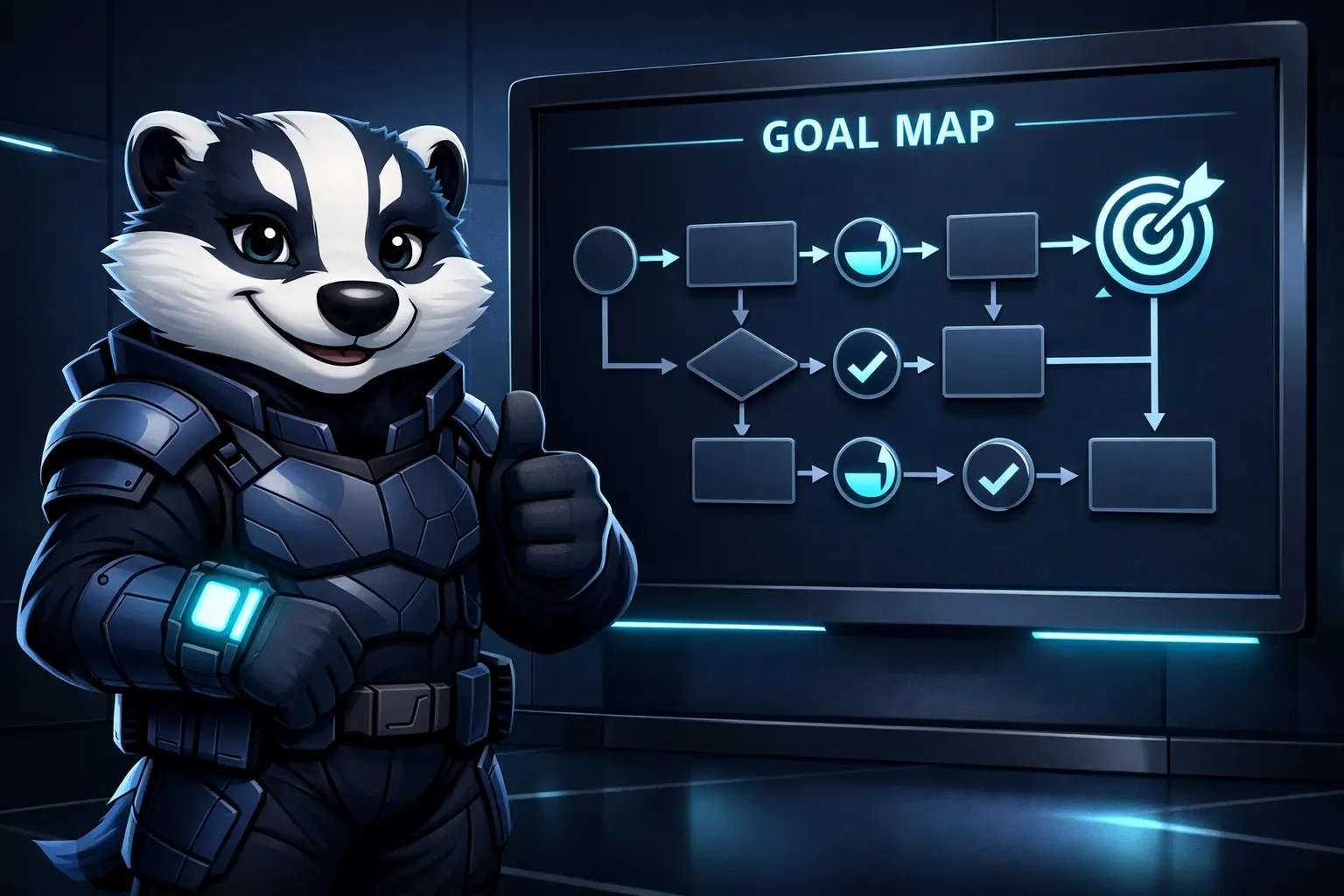
Image description: A finished, clean 'Goal Map' displayed on a sleek digital screen. Goalbadger is standing next to it, giving a supportive thumbs up and a kind smile.
Your 5-Minute Challenge
I want you to try this right now.
Go to our how it works page to see what a real goal map looks like.
Pick that one goal you’ve been "meaning to get to."
Use the 5-minute method above.
Don't worry about the "how" for every single step. If you get stuck, let the AI suggest the next move.
The intention-action gap is only as wide as you allow it to be. You have the tools. You have the template. Now, you just need to be a Goalbadger and execute.
Login here to start your first Goal Map and see how fast you can actually move when the planning is done for you.
No more overwhelm. Just progress. Let’s get to work.